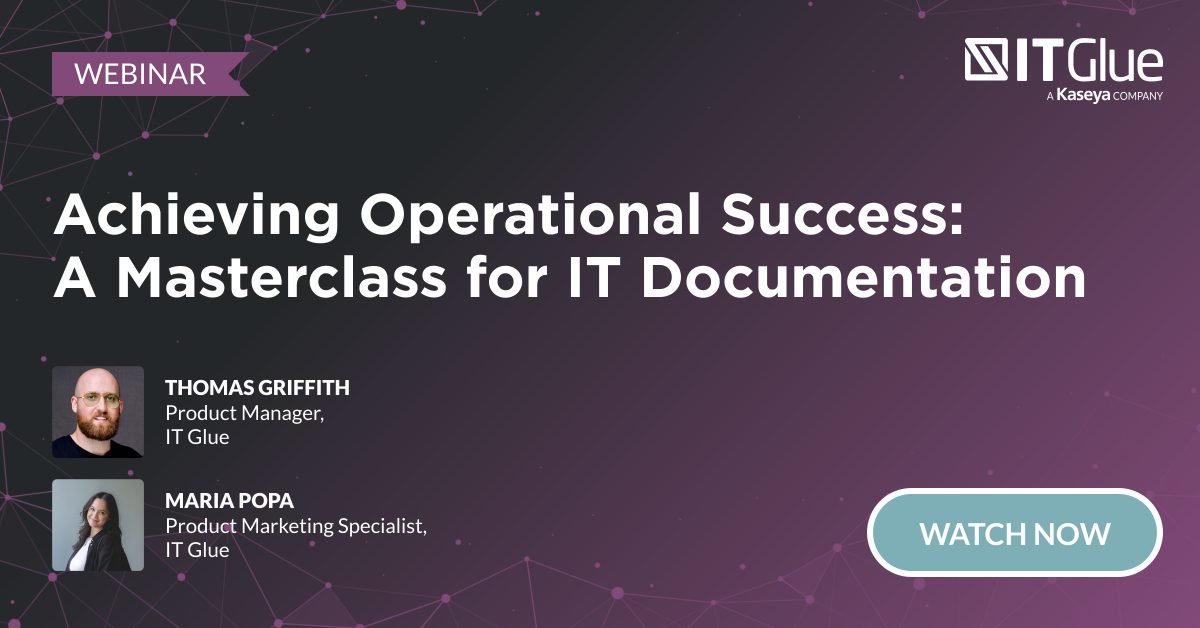
IT operations Q3 2025 product update webinar summary
BY IT GLUE | September 30, 2025
During the IT operations Q3 2025 product update webinar, we introduced new features and enhancements across IT Glue, Network Glue, MyGlue and myITprocess. From foundational performance upgrades and stronger access management to AI-powered intelligence, streamlined service delivery and new QBR management features, these updates are designed to make IT teams more efficient and secure. Let’s dive into the details!
You can also view the recording of the IT operations Q3 product update.
Foundation
While we push the boundaries of what’s possible in IT operations, our top priority remains ensuring IT Glue is stable, reliable and built for your everyday needs.
| Status | Feature | Description |
| LIVE! | Foundational feature enhancements | Enjoy better performance throughout the entire solution, including support for 100 to 300 MB file size increases, search performance up to 10 times faster and activity logs that run twice as fast. |
| Mobile app: Fresh new look | We’ve completely redesigned our mobile app for better usability, navigation and functionality. New features include pinned asset types for quick access, enhanced session timeouts, improved attachments and upgraded camera support. Expect continued improvements for even better documentation on-the-go. | |
| IN PROGRESS | iPad support | Soon, users will be able to access IT Glue on their iPads, offering even more ways for you to access IT documentation when you are on-site or away from your workstation. |
| Browser extension improvements | The IT Glue and MyGlue Chrome extensions now autofill one-time passcodes and introduce strict autofill parameters for precise credential placement. Looking ahead, the extensions will soon support automatic password updates, granular security controls and access to archived passwords. |
Access management
| Status | Feature | Description |
| LIVE! | Password SafeShare | Password SafeShare ensures seamless credential sharing without compromising security. Key functionalities include MFA for recipients, time-based and one-time view links, view counters with IP tracking, non-shareable password options and auto-deletion after expiration, making IT Glue the only documentation platform with this level of security for password sharing. |
| Password Policy Enforcement | With our Password Policy Enforcement, you can generate secure passwords that meet your business’s type, length and complexity requirements. This feature is supported for IT Glue mobile app, browser extension and password rotation. | |
| Automated password rotation | With Network Glue, your team can easily rotate Active Directory, Microsoft Entra ID and Microsoft 365 passwords directly from IT Glue, ensuring they are always up to date and secure without having to reflect these changes in multiple tools. You can do this manually on-demand, such as during user offboarding, or set up scheduled rotations to maintain higher compliance standards. | |
| COMING 2026 | Password rotation: Local admin account | Coming in 2026, password rotation for Windows devices managed with Datto RMM will let you view all admin credentials in the IT Glue configuration and rotate them on-demand, on a schedule or instantly after technician use. You will also be able to rotate credentials for devices managed with Datto RMM either on a scheduled cadence or on-demand directly from the IT Glue configuration pane, including immediately after injecting a password during a remote session. |
| End-user verification | Coming in 2026, end-user verification will let you confirm that users are who they claim to be, adding an extra layer of security and trust. | |
| User activation and deactivation | User activation and deactivation lets you easily enable or disable the status of IT Glue users, making onboarding, offboarding and user license management more streamlined. |
Intelligence
To help IT professionals stay organized, we’re enhancing IT Glue with smart tools that seamlessly connect your IT environment for greater accuracy and efficiency.
| Status | Feature | Description |
| LIVE! | myITprocess Device Expiration Auto-Documentation | Device Expiration Auto-Documentation, available through the myITprocess integration, centralizes warranty and end-of-life expirations with the rest of your existing device details in a single platform. By automating expiration data sync, this feature promotes a proactive approach to supporting devices with complete device documentation at their fingertips. |
| BitLocker Key Auto-Documentation | This feature automatically syncs BitLocker recovery keys from Intune devices into IT Glue, keeping sensitive data secure and readily accessible. Keys are captured in real time, securely stored and automatically linked to the correct devices, eliminating the need to dig through Microsoft portals. This streamlines recovery, reduces downtime and ensures IT teams always have quick, organized access to the keys they need when users are locked out due to ransomware, outages or other disruptions. | |
| Microsoft Entra ID and Microsoft 365 Group Sync | Now live, this feature automatically documents Entra ID security groups and Microsoft 365 groups in IT Glue. These groups are linked to their respective users, offering enhanced contextual information about your end users for better organization and management. | |
| Cooper Copilot Smart Relate | Smart Relate, powered by IT Glue’s AI engine Cooper Copilot, automatically identifies and suggests connections between core assets. You can approve or decline these suggestions, and as you use IT Glue, it will learn and improve, becoming smarter with each interaction. | |
| Cooper Copilot Smart Create | Smart Create intelligently organizes and summarizes IT information for key areas such as backup health, wireless network and software asset tracking. It provides a clear and concise overview of the IT environment through flexible asset templates automatically created by AI. | |
| Cooper Copilot Smart Assist for documents | Smart Assist helps you identify and clean up stale documents with ease through global views and bulk actions. Smart Assist also intelligently highlights the most used and valuable documentation to your team. | |
| Smart SOP Generator | Smart SOP Generator automatically records a technician’s screen, captures each step with screenshots and generates a ready-to-use SOP in IT Glue, saving time and ensuring consistency across IT processes. | |
| Smart SOP Generator: RMM support | Extend AI-powered SOP creation to your RMM workflows, automatically documenting technician actions within Datto RMM tools to produce step-by-step procedures directly in IT Glue. | |
| COMING SOON | Smart SOP Generator: Editing and formatting | Soon you will be able to enhance your SOPs with powerful editing tools, including blurring and annotations, zoom and pan, hotspot editing, saved settings (section, steps, folder, font) and the ability to add manual screenshots for complete customization. |
| Cooper Coach | Cooper Coach is an AI-powered assistant coming to IT Glue and other Kaseya products. In its first phase, it will answer product questions with step-by-step guidance, then evolve into intelligent search for complex documentation queries without the need for coding and eventually automate tasks like finding and updating data for you. | |
| Cooper Copilot Smart Assist for passwords | Smart Assist now includes a powerful password audit tool that flags weak, stale, duplicate or compromised passwords — even those exposed in Dark Web leaks — making password hygiene and management more secure and effortless. Soon, you’ll also be able to add annotations with clearer instructions and choose the folder where SOPs are saved, improving organization and usability. | |
| COMING 2026 | Smart SOP Generator: Desktop support | Coming in 2026, you will be able to record directly on the desktop, beyond the browser extension, giving you full coverage to create SOPs powered by AI even when you are working outside of a browser, giving you complete coverage to create SOPs in any environment. |
Service delivery
To ensure your team is as efficient as possible, documentation must be available at your fingertips within the core tools you use to troubleshoot and work on tickets.
| Status | Feature | Description |
| LIVE! | Contextual IT Glue documentation inside Autotask tickets | With auto-suggested IT Glue documentation in Autotask, you can view IT Glue documents, flexible assets and passwords directly inside an Autotask ticket, allowing technicians to resolve issues more efficiently by having the information they need right at their fingertips. |
| IT Glue Checklists inside Autotask tickets | Streamline support by embedding step-by-step checklists into tickets, enabling Level 1 technicians to resolve common issues, easing the load on senior staff and improving service quality. Build checklists from frequent tickets and leverage the IT Glue–Autotask integration to boost efficiency. | |
| Contextual IT Glue documentation inside Datto RMM configuration pane | Access relevant asset information directly in the configuration pane, eliminating tool-switching and keeping critical troubleshooting details at your fingertips. | |
| IT Glue Password insertion with Datto RMM and VSA | With Datto RMM and VSA, your team can now search and inject IT Glue passwords directly into remote control sessions, on top of instantly accessing IT Glue documentation, in the same pane. | |
| Datto RMM web-remote launcher from IT Glue | Launch remote control sessions directly from IT Glue, giving technicians instant device access at the point of investigation. | |
| Secure end-user password management | Clients can securely manage and share team passwords in organized folders, use a Chrome extension for instant autofill and strong password creation, and rely on robust access controls — all within a SOC 2–compliant platform. |
QBR management
Elevate your customer relationships with myITprocess for assessing clients’ technology risks and conducting QBR meetings for guaranteed project approvals.
| Status | Feature | Description |
| LIVE! | IT strategic roadmap | Connect technology risks to business goals inside an interactive roadmap, making it easy to manage priorities, budgets and timelines — and adjust plans in real time during QBRs. |
| Device Lifecycle Management | Automate tracking of device end-of-life and warranty statuses so you always know when it’s time to renew, replace or retire assets. You can present these insights to clients through automated reports and secure buy-in for planned upgrades, reducing risk, eliminating manual tracking and improving continuity. myITprocess currently supports Lenovo, Cisco Meraki, Dell, HP, Acer, SonicWall and Datto Networking. | |
| Device Lifecycle Management report: Insights customization | With automated and customizable device lifecycle reports, you can highlight aging infrastructure, group devices by age or warranty, and tailor fields for clear, actionable QBRs. Customizable charts and tables make it easy to present risks, timelines and upgrade plans to clients. | |
| Integrated Executive Summary | Integrated Executive Summary simplifies client conversations by consolidating key metrics from service desk, security and backup tools into one polished, customizable report. This feature saves time, ensures consistent presentation and helps IT teams clearly demonstrate value during QBRs. | |
| QBR Report Builder | Creating and organizing data for QBRs can be time-consuming. Our QBR Report Builder simplifies the process by consolidating data into customizable, client-ready reports, saving you time and effort. | |
| Unified Backup Dashboard in myITprocess | Consolidate backup results across endpoints, users and servers into one clear view that can be easily shared with end users, making it easy to confirm successes, monitor restores and spot gaps like unprotected devices or users. | |
| True-Sync for Autotask Contracts | Now you can automatically pull agreed upon contract budgets and timelines into myITprocess to track renewals, plan ahead and keep clients informed, eliminating last-minute surprises and strengthening trust. | |
| COMING SOON | QBR Report Builder enhancements | Launching soon, new automation features will streamline QBRs with reusable report templates, scheduled auto-generated drafts and AI-powered data summaries in plain language, saving time and making it easier to show clients the value you deliver. |
| COMING Q4 2025 | QBR meeting automation | Coming soon, you will be able to eliminate extra admin by syncing myITprocess with Outlook to auto-generate Teams links, letting you schedule, manage and deliver QBRs in one place, allowing you to focus on client conversations, not logistics. |
By leveraging these innovations, IT Glue continues to enhance your IT documentation experience, providing smarter, more efficient and highly integrated solutions to meet your evolving needs. Stay tuned for more updates as we continue to innovate and improve your IT operations.
Interested in learning more about IT Glue? Request a 1:1 call with a documentation specialist today.