A better IT Glue experience: UX updates for faster, smarter workflows
BY IT GLUE | March 31, 2026
Effective IT documentation means having the information you need, exactly when you need it. With our latest IT Glue updates, it’s now easier to access, manage and work more efficiently every day.
Many of these enhancements were shaped directly by you — our community. Through feature requests and voting, IT Glue users continue to play a direct role in shaping the platform. And when ideas gain traction, our product team listens.
Here’s what’s new.
A completely redesigned mobile experience
IT doesn’t stop when you leave your desk — and neither should your documentation.
The redesigned IT Glue and MyGlue mobile apps deliver a modern, streamlined experience, making it easier than ever to work on the go.
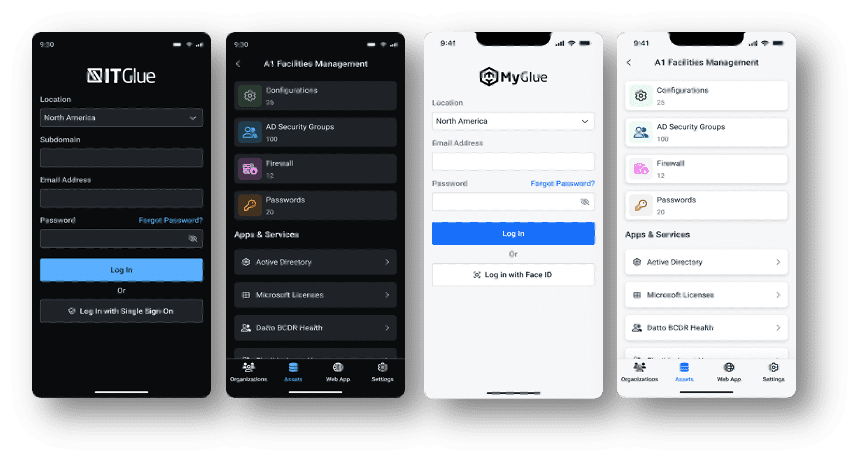
With this update, you can expect:
- Faster access to critical information with pinned asset types
- Smoother workflows thanks to improved navigation and UI
- Better reliability with enhanced session timeout handling
- Expanded functionality with attachments and camera support
Whether you’re onsite with a client or handling an urgent request remotely, you can now capture and retrieve key information in seconds. Available on both iOS and Android, this redesign is just the beginning, with more mobile enhancements planned throughout 2026.
Smarter password management in the Chrome extension
Keeping documentation accurate shouldn’t feel like extra work. With the latest IT Glue Chrome extension update, passwords now stay up to date automatically — no manual edits required.
When a password changes, the extension:
- Detects updates based on the saved username and URL
- Prompts you to confirm the change
- Updates the record instantly
This results in less friction, fewer outdated credentials and a more seamless experience that aligns with modern password managers — while keeping everything securely documented.
This feature was inspired by a community idea that earned 97 votes, proving once again that your feedback directly drives meaningful improvements.
Stay in flow with the new slide-out password drawer
Switching tabs and breaking your workflow just to grab a password? Not anymore. The new slide-out password drawer lets you access and manage credentials without ever leaving your current screen.
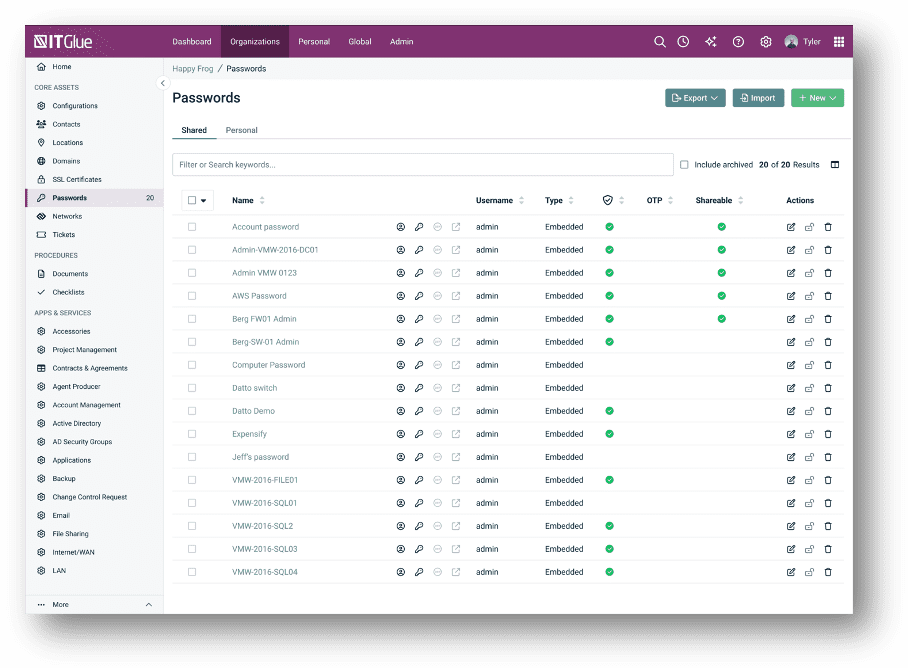
With a simple panel on the right side, you can:
- View password details instantly
- Copy credentials quickly
- Make updates without navigating away
It’s a small change that makes a big difference, helping you stay focused, efficient and in control.
Automated organization management with Auto-Add Groups
As your environment grows, so does the complexity of keeping everything organized. The new Auto-Add Groups feature simplifies organization management.
Now, when a new organization is created, it can be:
- Automatically assigned to designated groups
- Consistently categorized without manual effort
- Instantly aligned with your existing structure
This reduces administrative overhead and ensures your documentation stays clean, accurate and scalable.
See these improvements in action
The best way to understand the impact of these updates is to see them yourself.
Book a demo today to explore the latest IT Glue enhancements and see how powerful, streamlined IT documentation can transform your operations.